There is a strange rule many of us follow every year: we wait for January before we let ourselves begin.
We wait to get organized. We wait to make a plan. We wait to open the planner, decide what matters, and take a clearer look at the year ahead.
Then January arrives carrying its usual pile of catch-up work, appointments, family logistics, unfinished December details, and the pressure of a fresh start. The planner is brand new. The year is already moving.
You do not have to wait.
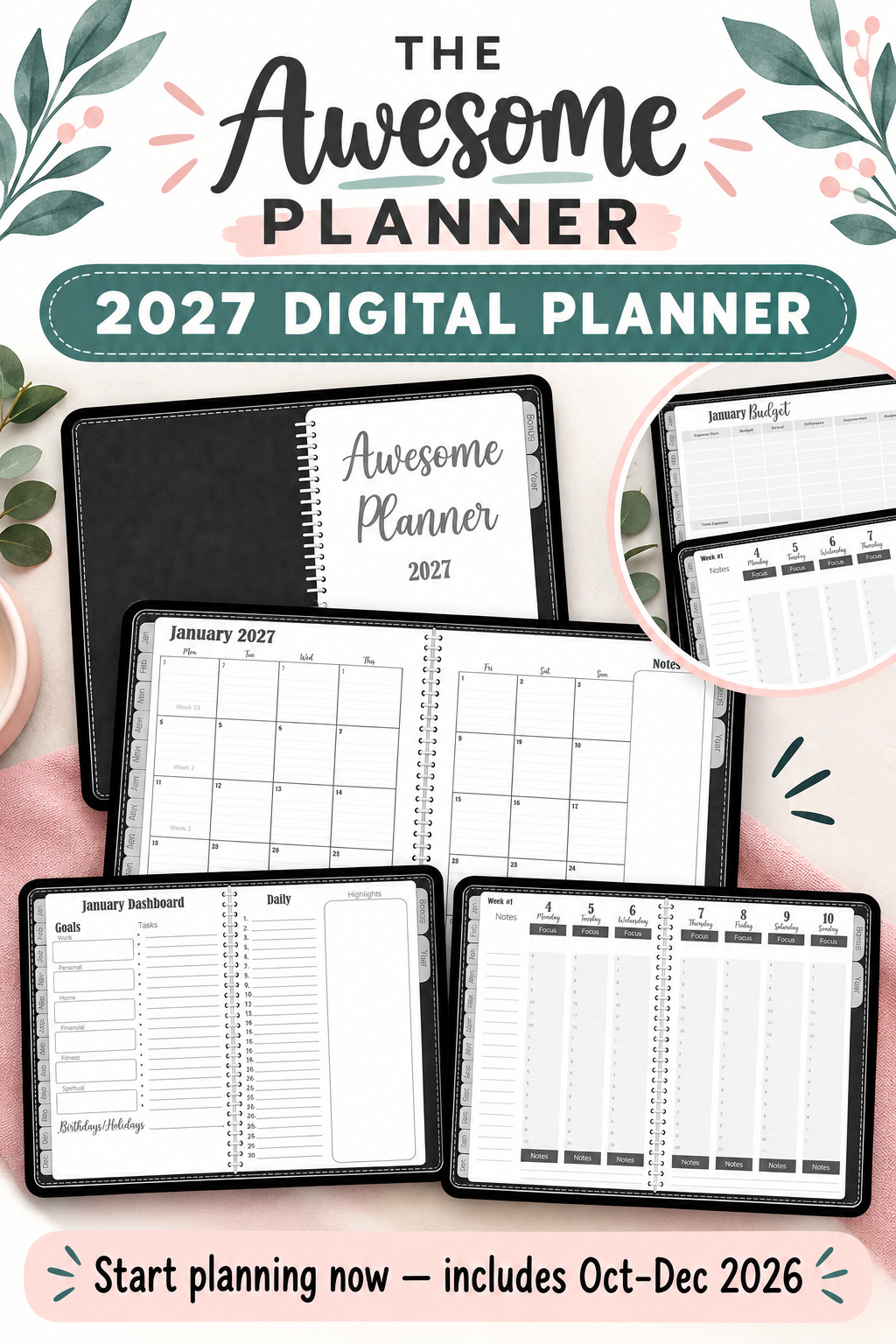
The Awesome Planner 2027 — Black Edition begins with a bonus quarter: October, November, and December 2026. That means you can start using it now, settle into the layout, and roll straight into January with a system already in motion.
Why starting early changes the whole year
Starting early is not about getting ahead in some dramatic, color-coded way. It is about giving yourself room to learn what works before the calendar turns over.
Maybe you discover that you need more space for your weekly priorities. Maybe the budget page becomes the place you finally keep your monthly numbers together. Maybe you use the dashboard for goals, task lists, birthdays, or the handful of things that always seem to disappear into separate notes.
Those discoveries are easier to make in October, November, and December than they are in the first crowded week of January. By the time 2027 begins, the planner is not another new system to figure out. It is simply where your plans live.
A complete view without making planning complicated
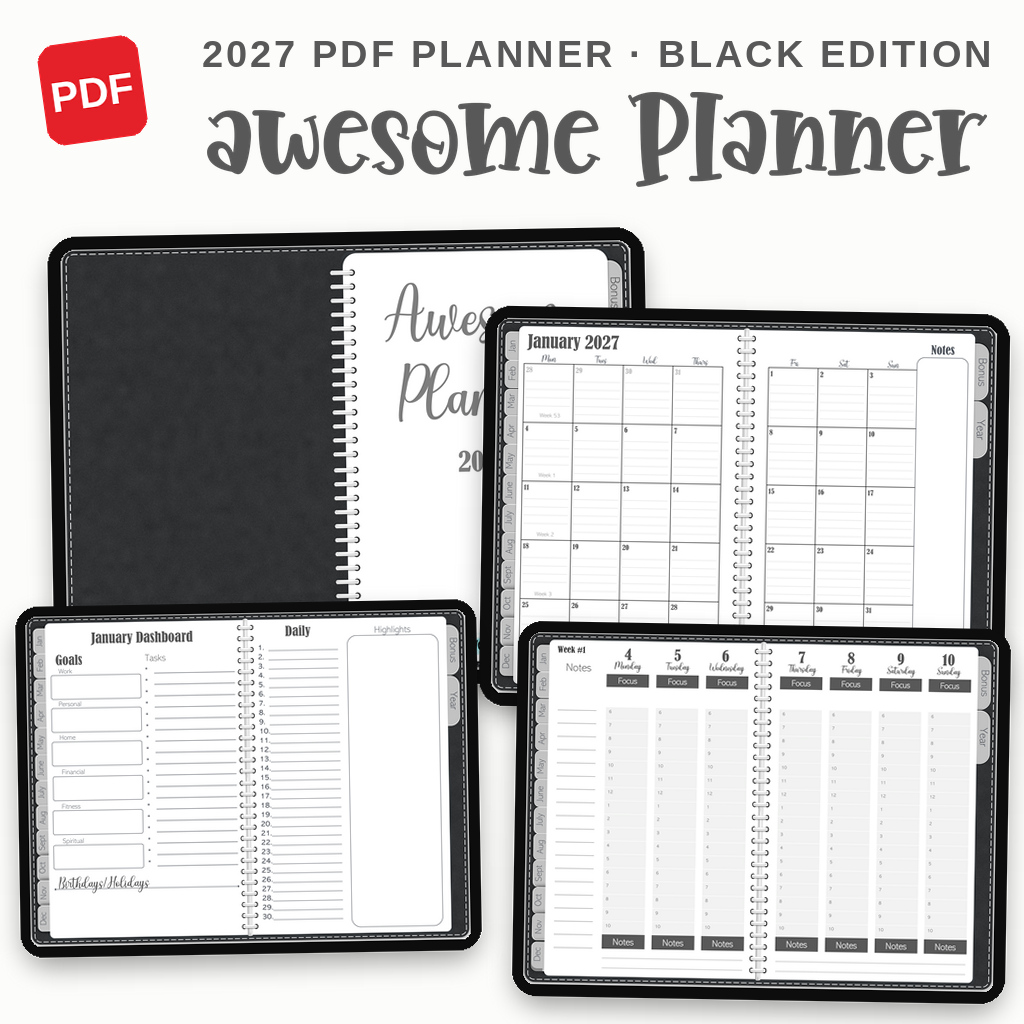
The Awesome Planner 2027 — Black Edition is a fully hyperlinked PDF planner designed for tablet planning in GoodNotes, Notability, Xodo, Flexcil, CollaNote, and other PDF markup apps. Tap the tabs and links to move between sections instead of flipping through 126 pages looking for the right one.
Each month follows the same practical rhythm:
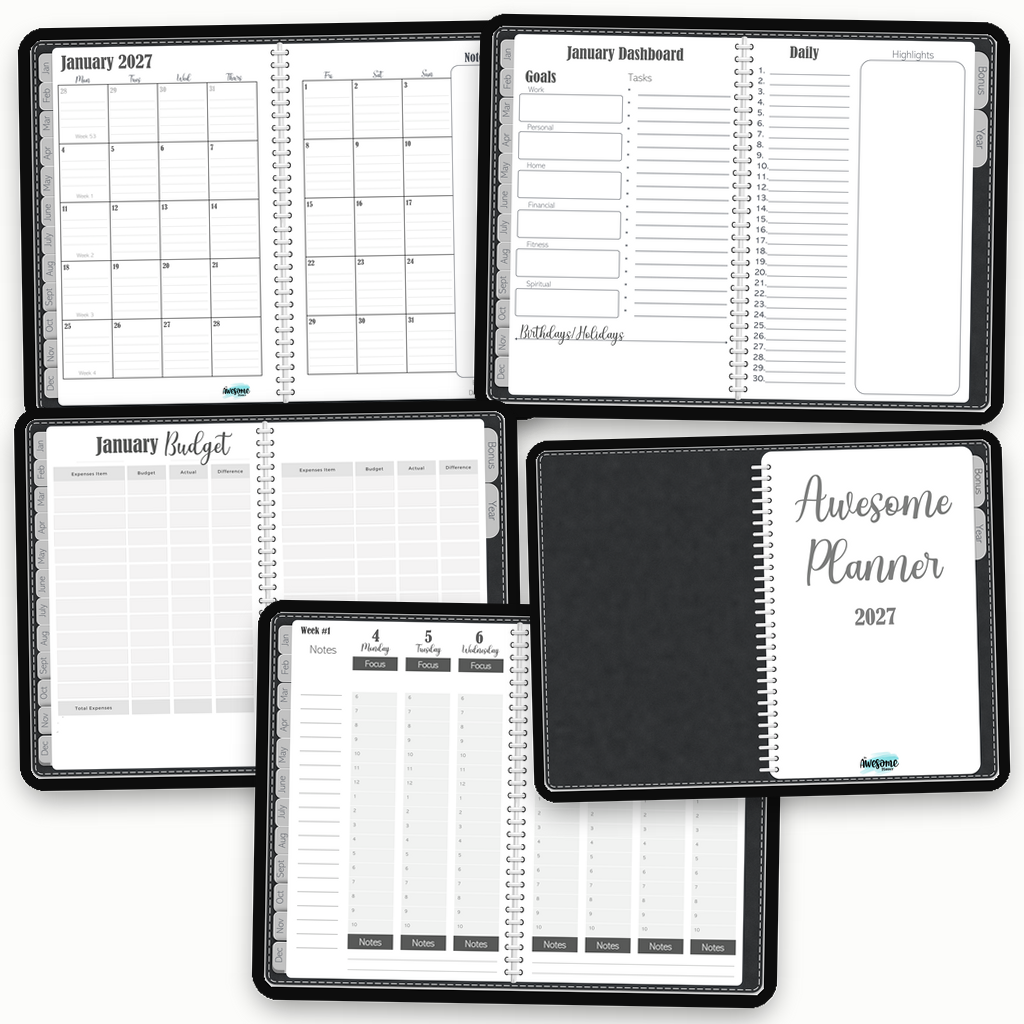
- Monthly calendar: see the month at a glance, with linked week numbers that take you directly to the weekly pages.
- Monthly dashboard: set goals for work, personal life, home, finances, fitness, and spiritual life; keep your tasks, highlights, and important dates in one view.
- Monthly budget: plan expenses, compare budgeted and actual spending, and see the difference.
- Weekly focus pages: plan hour by hour from Monday through Sunday, with space for notes and a clear focus for the day.
There is also a yearly overview, an index, month tabs on every page, and bonus template pages at the back for the things you want to track your own way.
Who this planner is for
This is a good fit if you use an iPad or Android tablet with a stylus and want your calendar, goals, budget, and weekly plan in one place. It is for people who want the flexibility of a digital planner without having to rebuild their system every month.
It is not a calendar-syncing mobile app, and it is not meant to be printed. It is a dated, interactive PDF designed to live on a screen and be written on with your preferred note-taking app.
Start with the part of the year you have
You do not need to wait for a perfect Monday, a fresh month, or January 1 to make a plan you can use. Start with the week in front of you. Put the next appointment on the calendar. Write down the project you need to move forward. Choose one thing that deserves your attention before the year ends.
Then keep going.
Awesome Planner 2027 — Black Edition
Start now, then plan all of 2027.
Includes October through December 2026 plus a complete linked 2027 planner.